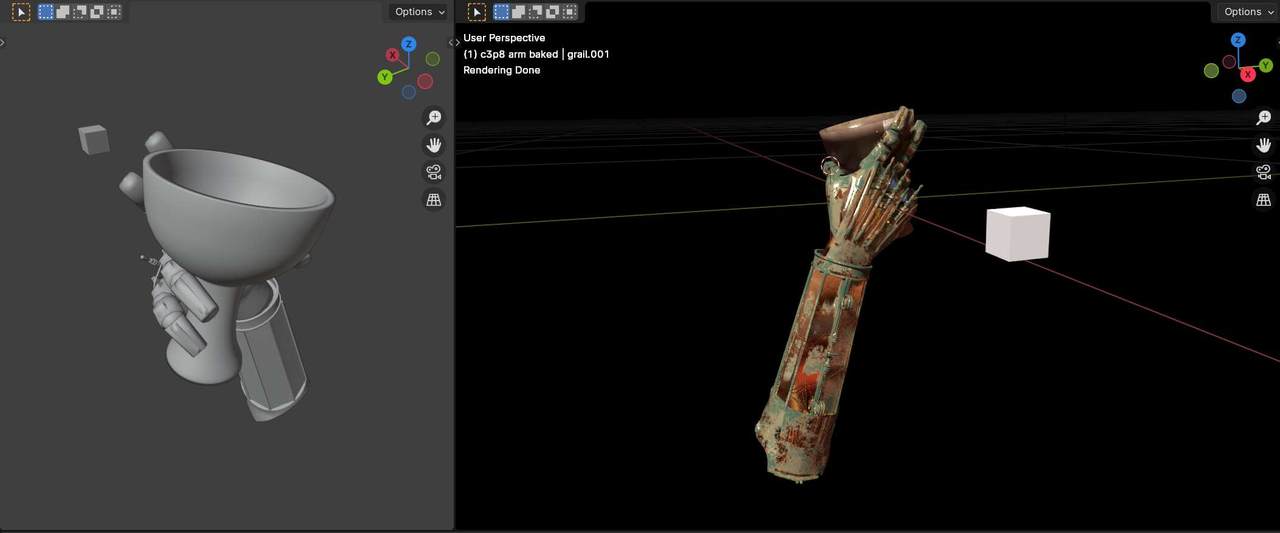
I had the chance to study the awesome threejs library for a project. Allows you to implement 3d objects on the web and it's getting more and more performant. I recovered from the archive one of my old dear 3d models (left arm of a protocol droid with grail), I optimized the mesh in low-poly, baked the textures and converted the material shaders for webgl. The last step is pretty straightforward with Blender 3d. Isn't it awesome (and interactive) ?
WebGL is a JavaScript API for rendering interactive 2D and 3D graphics within any compatible web browser without the use of plug-ins. WebGL is fully integrated with other web standards, allowing GPU-accelerated usage of physics, image processing, and effects in the HTML canvas. WebGL elements can be mixed with other HTML elements and composited with other parts of the page or page background. The model was exported in gltf format with Blender 3d.
I'm delving into the implementation of more complex animations, controlled by external links or buttons on the page.
The experiment with threejs involved the application of various effects to obtain the highest realism: hdri 3d environment, bloom light, grain, depth of field, dynamic changes of focus. I also set camera limits to avoid weird perspectives or distances relative to the object.
Thanks to the javascript versatility I added html tooltips, very useful to illustrate and describe focus elements. And overlayed white dots to emphasize the clickable objects, like a pin point. And the controls with mouse: camera rotation and zoom with distance limits as mentioned. Animation rotiation autmatically starts when not interacting for 5 seconds
The potentials are very interesting: interactive objects inside web pages (animated logos and headlines, product viewer for ecommerce, VR environments, interactive maps. The final code can be embedded in any web page as an iframe or coded and rendered directly into the page.
Here is the result. Use your mouse to zoom and rotate the 3d object!
Looking forward to implement more complex animations and interactions. I really would try an experiment with an interactive map or a game-like environment.
I used this demo as an intro header on the homepage.

Follow me for updates or contact me on the socials